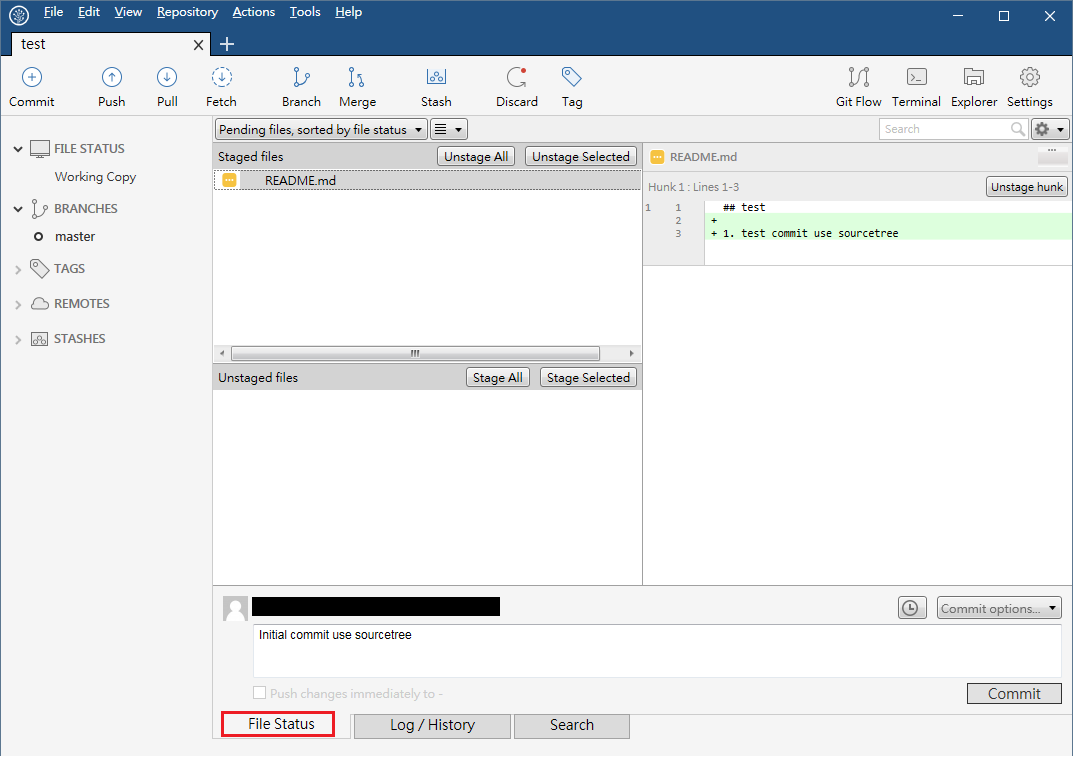
Git Command Guide

Basic Operations
Initial Repository
Command
  # 在要建立數據庫的目錄裡執行
  $ git init
SourceTree
若要連結帳號可以勾選
Create Repository On Account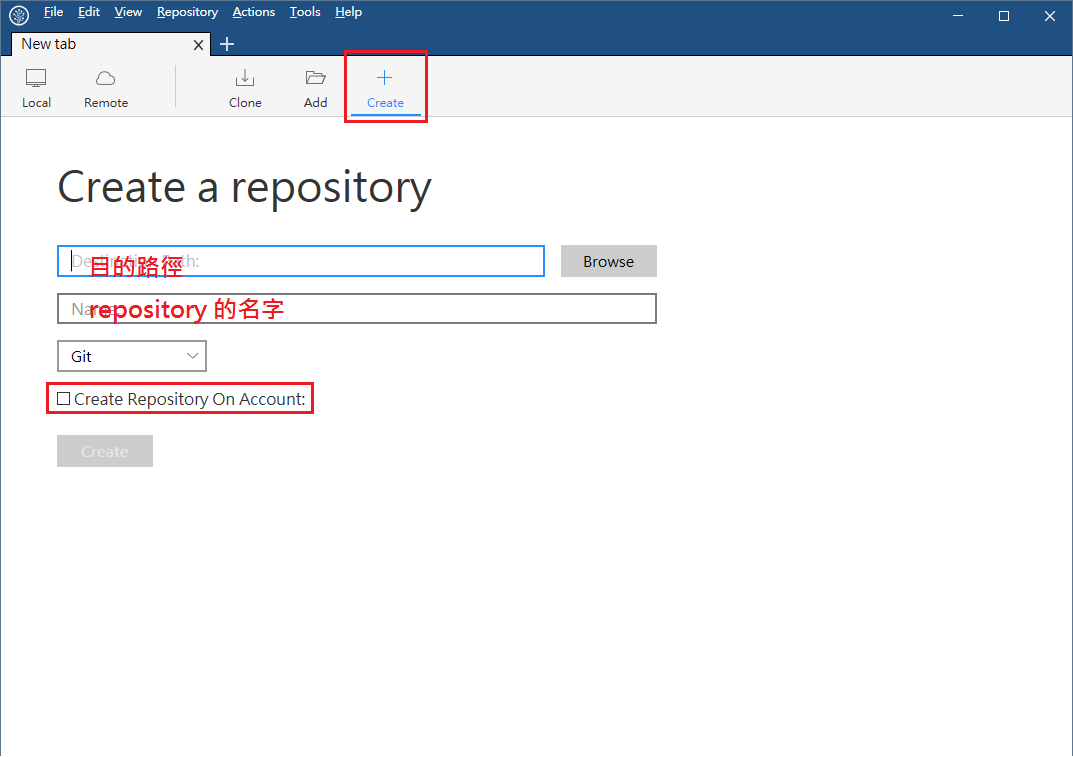
Add to Staged
command
$ git add <filepattern>filepattern 可以直接輸入檔案名稱或使用通用字元(
*.txt)或是輸入.將目錄裡所有檔案註冊到staged裡。-p 可以選擇只註冊檔案中修改的其中一部份
-i 會以互動式方式詢問要註冊在staged裡的檔案
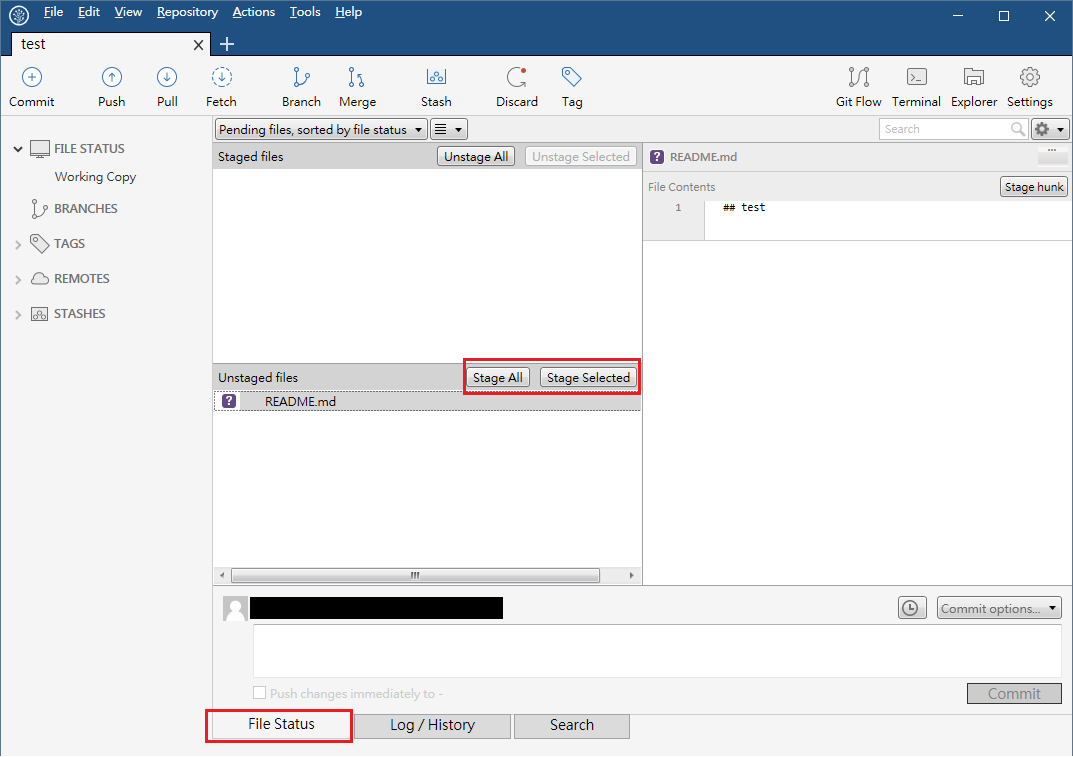
SourceTree
選擇所要註冊的檔案
Commit
command
$ git commit-a
可以提交有修改的檔案(不包含新增的檔案)
-m
可以帶入
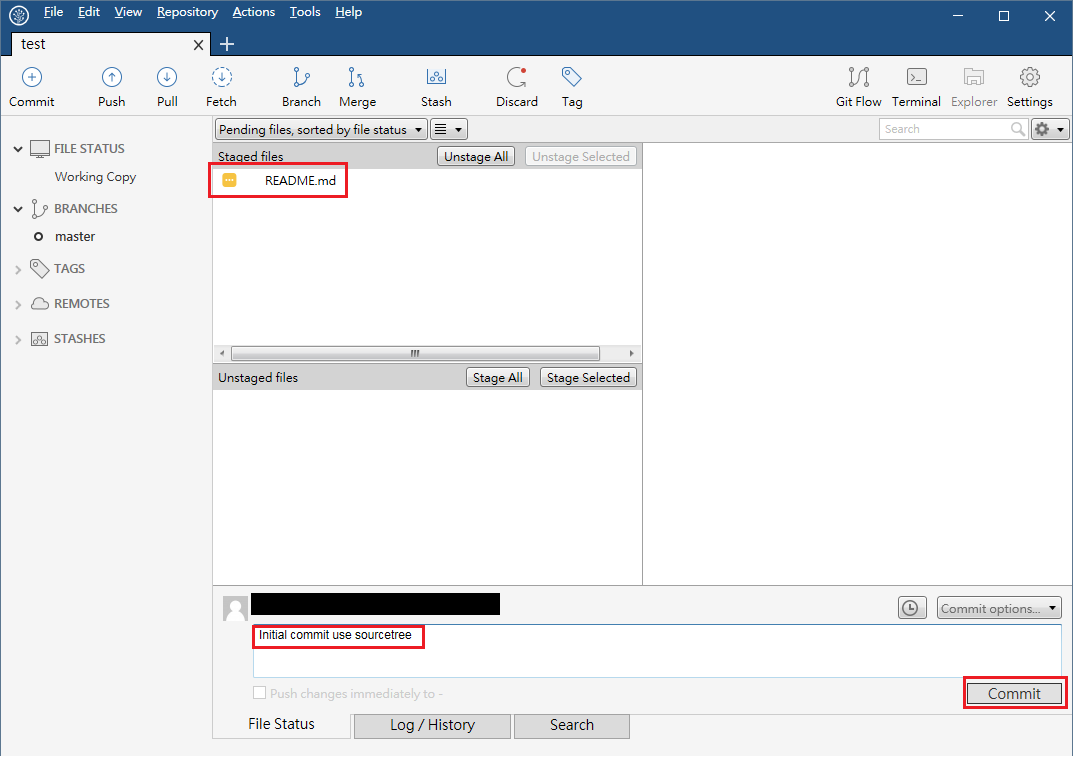
提交訊息。若無帶入的話,會開啟修改提交訊息的編輯器$ git commit -m "test commit"
SourceTree
Status
command
$ git status-s
僅會顯示已修改的檔案名稱
-b
顯示分支的名稱
SourceTree